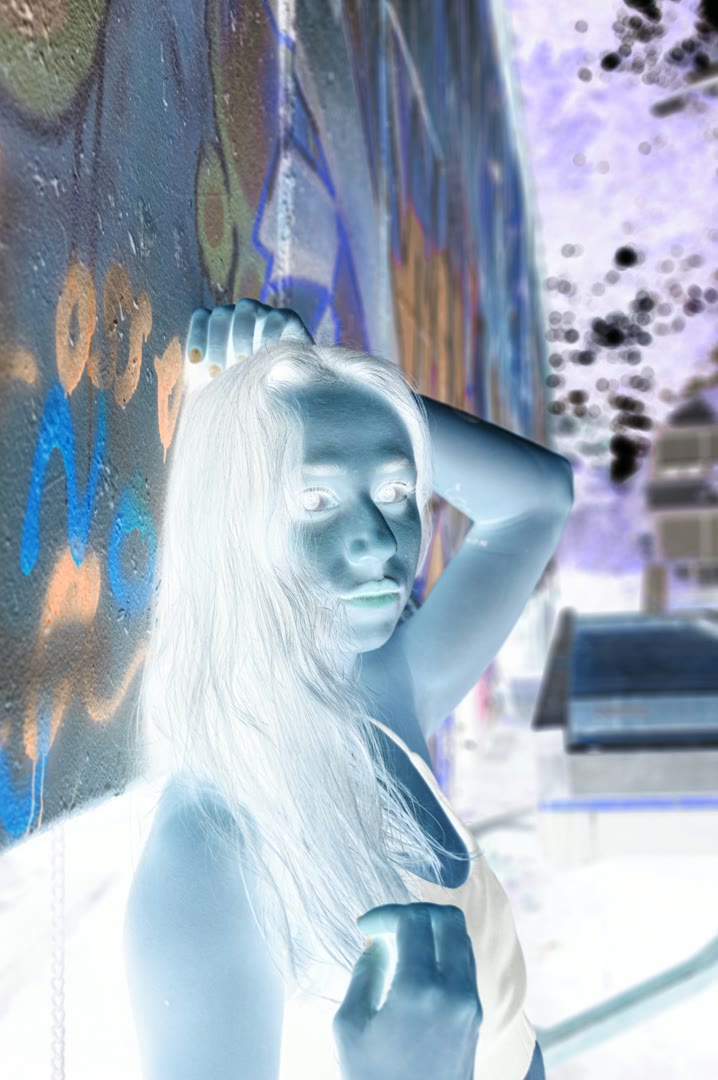
- What does a color inverter do?
- A color inverter swaps every pixel's RGB value for its complement: each channel is subtracted from 255. The result is a photo-negative — white becomes black, red becomes cyan, green becomes magenta, blue becomes yellow. It's the same effect old film negatives had, and the same as 'Invert Colors' / 'Invert Filter' / 'Color Inversion' in Photoshop.
- Is this color inverter free, and does it watermark the output?
- Yes, fully free. No watermark, no sign-up, no upload, no file size limit. The basic invert runs entirely in your browser via FFmpeg WebAssembly, so we have zero server cost to pass on. The 7 bonus effects (Thermal, X-Ray, Cyberpunk, etc.) run on our GPU and use a small download credit.
- How is this different from Pinetools or LunaPic?
- Speed and privacy. Pinetools and LunaPic upload your image to their servers, process it there, and send it back — slow on large photos, and your image briefly lives on their disks. This color inverter runs WebAssembly directly in your tab, so nothing leaves your device and gigapixel photos stay fast. The visual result is identical (RGB complement), but you get it in milliseconds instead of seconds.
- Does the color inverter work on JPG, PNG, WebP, and HEIC?
- JPG, PNG, WebP, and BMP work out of the box and export as a PNG (preserves transparency). HEIC can be processed but decodes more slowly — we recommend converting HEIC to JPG first via our converter if you have a big batch.
- Can I invert only part of an image, like the background?
- Yes — use Invert Background for background-only color inversion, or Invert Subject for foreground-only. Both use AI to separate the subject from the background, then apply the color inverter to one side only.
- How is 'color inverter' different from 'invert filter' or 'color inversion'?
- They're synonyms — different search phrases for the exact same operation. This tool handles all of them: color invert, colour inverter (UK), invert filter, color inversion, negative filter, photo negative. One tool, every phrasing.
- Can I invert colors on a video too?
- Yes — for video files, use the video color inverter. It's the same color inverter algorithm tuned for MP4, MKV, MOV, WebM, and animated GIFs.
- Is the result the same as Photoshop's 'Invert' (Cmd+I / Ctrl+I)?
- Visually identical. Photoshop's Invert command and this color inverter both compute the RGB complement of every pixel. The only difference is workflow — this runs in your browser without launching Photoshop.