Free Video & Audio Tools
Right in Your Browser
Convert, resize, cut, and enhance videos, audio, and photos. Quick edits run 100% in your browser — those files never leave your device. AI tools and big files use our own secure servers and expire automatically.
1M+
Files Processed
150+
Tools & Effects
100%
Private
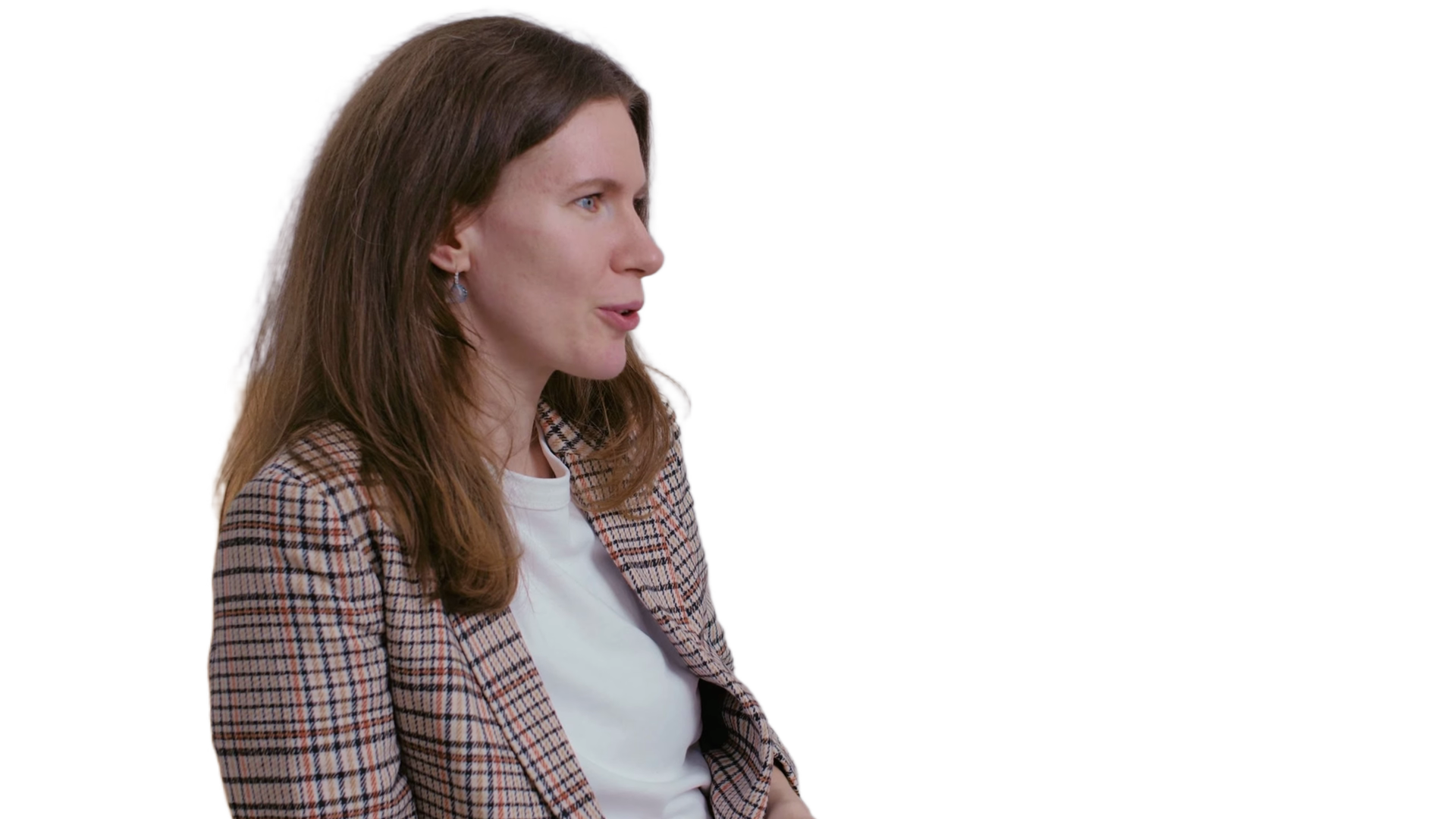
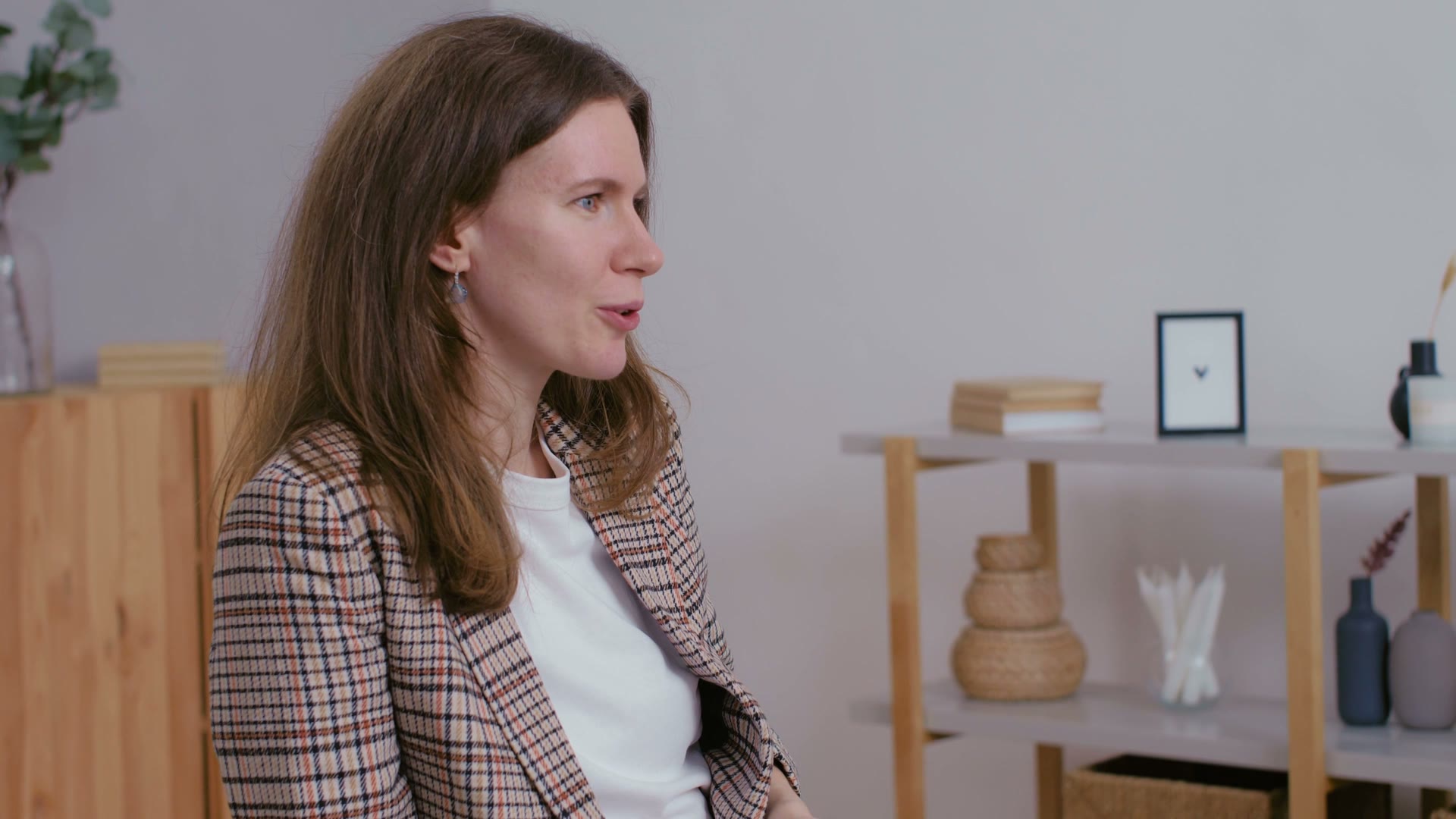
Remove Video Background
AI-powered removal — clean alpha around hair and fine edges
Try it →Video Tools
Convert Video
Convert videos between formats. Supports MP4, MKV, MOV, WebM and more — fast browser-based conversion with no upload required.
Remove Video Background
AI-powered background removal for videos. Removes the background from every frame with GPU-accelerated processing.
Blur Faces in Video
AI tracks every face across all frames and blurs them throughout the video. Privacy-safe anonymization with no manual rotoscoping.
Blur License Plates in Video
AI tracks every license plate across all frames and blurs them throughout the video. Dashcam, surveillance, vlogging, real estate walk-throughs — share without exposing plate numbers.
Video Resizer
Free online video resizer. Resize video to a new resolution or exact size — downscale 4K to 1080p, drop to 720p, or fit TikTok 1080×1920, YouTube 1920×1080, Instagram 1080×1080. Keeps the aspect ratio by default so your video never stretches. Runs in your browser — no upload, no watermark, no sign-up. Faster than Clideo, Online-Convert, or Kapwing because nothing leaves your device.
Cut Video
Trim and cut videos by specifying start and end times. Fast stream-copy mode available.
Text on Video
Add multiple text layers to videos with drag-to-position, resize handles, and a multi-layer timeline to control when each text appears.
Merge Videos
Free online video merger — join multiple clips into one video, played back-to-back in the order you add them. No upload, no watermark.
Add Intro Image
Prepend an image or text title card to the beginning of a video. Perfect for thumbnails, title screens, and chapter markers.
Add Outro Image
Append an image or text end card to the end of a video. Perfect for outros, end screens, and call-to-action cards.
AI Clip Maker
Turn a long video into ready-to-post vertical shorts: AI reads the transcript, picks the most engaging moments, crops to 9:16, and burns in animated captions.
Censor Swear Words (Bleep)
Automatically bleep or mute swear words in any video. AI speech recognition finds every profanity with word-level timing, then censors each one with a classic 1 kHz bleep or clean silence — the picture is never re-encoded, so quality stays identical.
AI Video Dubbing — Translate & Dub
Dub any video into another language while keeping the original speaker's voice. AI transcribes the speech, translates it, and re-voices it in the language you choose — cloning the speaker so the dub still sounds like them — then lays the new audio back over your video.
Remove Silence from Video
Automatically cut silences and dead air from any video. The detector finds every pause right in your browser, shows you exactly what gets cut with adjustable sensitivity, then jump-cuts the video on our server. Perfect for talking-head videos, tutorials, lectures, and podcasts.
Add Watermark
Overlay logos, images, or animated GIFs on any video. Drag to position, resize, adjust opacity, and control timing per layer. GIFs loop automatically.
Video Thumbnail
Extract a single frame from any video as a JPEG or PNG image. Perfect for thumbnails and cover art.
Image to Video
Convert a static image to a video with a specified duration. Creates an MP4 from any image file.
Convert Image
Convert images between formats — JPG, PNG, WebP, BMP, TIFF. Free batch image converter with no quality loss.
Video to Frames
Extract frames from a video at a configurable interval or all frames. Downloads as a ZIP archive of images.
Compress Video
Reduce video file size with adjustable quality. Choose between small file size, balanced, or high quality compression.
Discord Compressor
Compress videos to fit Discord's file size limit. Set a target size (8 MB, 10 MB, 25 MB, or 50 MB) and the tool calculates the optimal bitrate automatically.
Rotate Video Online
Free online video rotator. Rotate any video 90° clockwise, 90° counter-clockwise, or 180° to fix sideways or upside-down phone recordings. MP4, MOV, MKV, WebM all supported. Runs in your browser via FFmpeg WebAssembly — no upload, no watermark, no sign-up.
Crop Video Online
Free online video cropper. Crop any video or image to a specific region — remove black bars, change aspect ratio for TikTok / Instagram / YouTube, focus on a subject, or trim a section out. Runs in your browser via FFmpeg WebAssembly. No upload, no watermark, no sign-up.
Speed Up or Slow Down Video
Free online tool to speed up or slow down any video. Adjust playback from 0.25× (quarter speed slow-mo) to 4× (fast-forward / timelapse), audio pitches with the new speed. MP4, MOV, MKV, WebM all supported. Runs in your browser — no upload, no watermark, no sign-up. Faster than Clideo, Kapwing, or Online-Convert for short clips.
Auto Zoom Video
Add dynamic punch-in zooms to a talking-head video automatically — the edited-podcast look in one click. Rhythmic zoom bursts keep static talking videos energetic. Runs in your browser: no upload, no watermark, no sign-up.
FPS Changer
Free online FPS changer — convert any video's frame rate to an exact target: 60fps to 30fps, 120fps to 60fps, 24fps for a film look, or any rate from 1 to 240. Duration and audio stay untouched; only the frame rate changes. Runs in your browser — no upload, no watermark, no sign-up.
Smooth 60 FPS
Convert any video to 60fps free — with real AI frame interpolation, not frame duplication. Our AI paints brand-new in-between frames so motion looks genuinely smooth, and pushes footage to 120 or 240 FPS for ultra slow-mo. Free to try with no app to install — most free converters either duplicate frames or stamp a watermark on the result; this one actually invents the frames and lets you preview the full smooth video first.
AI Slow Motion
Create stunning slow-motion from any video. Our AI generates brand-new in-between frames for buttery-smooth 2x, 4x, or 8x slow-mo — far smoother than just stretching the footage.
Speed Ramp
Make velocity edits online: speed up and slow down parts of one clip with a speed curve. Pick a preset like Hero Time or Montage, or drag your own, watch it live and see the new length before you process.
AI Upscale Video
Upscale video 2× or 4× with AI, or keep the original size and just sharpen it. Three engines: standard, quality (slower, sharper) and anime; output up to 2160 px on the long edge, audio kept. Pro feature — image upscaling is free at Upscale Image.
Video Looper — Loop Video Online
Free video looper. Loop any video 2 to 10 times into one seamless file — great for TikTok/Reels backgrounds, GIF-style repeats, and looping ad creatives. Stream-copy mode keeps the output bit-identical to your source and finishes instantly, no re-encode required.
Video Meme Maker
Turn any video into a meme — 20 templates: classic Impact text, white caption bars, deep fried, breaking news, demotivational poster, and more. Type your caption, pick a template, done.
Video Noise Remover
Free online video denoiser — remove grain, sensor noise, and low-light speckle from any video. Three strength levels, optional temporal pass for flickering noise, and edge re-sharpening. MP4, MOV, MKV, WebM supported. Processed on our servers, so long clips don't tie up your device.
AI Subtitles
Generate subtitles from speech using AI. Choose from multiple engines optimized for speed, accuracy, or specific language groups. GPU-accelerated on server.
AI Animated Captions
TikTok-style animated captions with 6 presets. AI transcribes speech and burns bold, highlighted, animated text — Hormozi, Karaoke, Bounce, and more.
Collage Video Maker
Turn your photos into an animated collage video. Pick a grid layout, drop in 2–6 photos, add music, and your photos animate into the grid — exported as a ready-to-post 9:16, square, or portrait MP4.
Fix Subtitle Sync
Subtitles out of sync? Load your video and SRT/VTT file, watch with live captions, drag the offset until they match, and download the corrected subtitle file.
Burn Subtitles
Hardcode SRT/ASS subtitle files into your video. The text is permanently rendered onto the video frames — visible everywhere without subtitle support.
Video to Animated JXL
Convert video to animated JPEG-XL — a next-gen image format with superior compression. Great for short clips, loops, and animated stickers.
Flip Video
Flip video horizontally (mirror) or vertically. Works with any video format.
Audio Sync Fixer
Fix audio that is out of sync with the video — shift the soundtrack earlier or later by milliseconds. The picture is copied untouched, so the fix is lossless and takes seconds.
Deinterlace Video
Remove interlacing comb lines from old camcorder tapes, DVD rips, and TV captures. Motion-adaptive bwdif deinterlacing with optional 50/60p output — free, in your browser.
Video Deflicker
Remove flicker from video shot under LED, fluorescent or stage lights, and smooth timelapse exposure jumps. Each area of the frame is evened out against the frames around it — free, in your browser.
Video Transition Maker
Join two clips with a real transition — crossfade, wipe, slide, circle, slices, pixelate, zoom and 50 more. Pick the effect and its length, download one video. Free, in your browser.
Audio Tools
Filler Word Remover
Automatically cut "um", "uh", and awkward pauses from podcasts, voiceovers, and videos. AI finds every filler with word-level timing and removes it — the result is tighter and shorter.
Extract Audio
Extract the audio track from any video file. Save as MP3, AAC, WAV, FLAC, or OGG.
Add Audio
Add an audio track to a video file. Replace or overlay the existing audio.
Remove Audio from Video
Free online tool to remove audio from any video — strip the entire soundtrack to create a silent video. Stream-copy mode finishes instantly with zero quality loss; no re-encoding, no upload, no watermark, no sign-up. MP4, MOV, MKV all supported.
Cut Audio
Trim audio files by specifying start and end times. Supports MP3, WAV, AAC, FLAC, OGG.
Split Audio
Split one long audio file into multiple clips in a single pass. Upload once, get all segments back as a ZIP. Supports timestamps, start/end ranges, tracklists, equal-part, and interval modes.
Convert Audio
Convert audio files between formats: MP3, AAC, WAV, FLAC, OGG.
Audio Joiner
Free online audio joiner — combine multiple songs or recordings into one file, played back-to-back in the order you add them. MP3, WAV, FLAC, OGG.
Mix Audio (Overlay)
Mix multiple audio tracks together so they play simultaneously. Layer music, voiceovers, sound effects — as many as you need.
Audio Waveform
Turn any song, podcast, or voice note into a shareable video visualizer — animated EQ bars, waveforms, or a spectrum with your audio baked in, sized for YouTube, Reels, or TikTok. Or export a still waveform image. Works with MP3, WAV, M4A, and video soundtracks.
AI Transcription
Transcribe podcasts, interviews, lectures, and meetings to clean text. AI-powered, audio + video inputs, exports to plain text, SRT, VTT, and DOCX.
Podcast Show Notes Generator
Upload a podcast episode and get instant show notes — AI summary, timestamped chapters, key quotes, and a full transcript. Paste the chapters straight into Spotify, Apple Podcasts, or YouTube.
AI Denoise Audio
Remove background noise from video and audio using AI. Choose from 3 engines: Fast (speech enhancement), Studio Quality (best quality at 48 kHz), or Voice Isolation (removes everything except voice).
Karaoke Video Maker
Turn any song into a karaoke video automatically: AI removes the vocals, transcribes the lyrics with word-level timing, and renders a sing-along video where each word lights up as it's sung — over the instrumental track.
Vocal Remover & Karaoke Maker
Free online vocal remover and karaoke maker. AI splits any song — or the audio track of a music video — into a clean vocals-only track and a vocals-free instrumental in one pass. Output is a ZIP with both stems — perfect for karaoke, remixes, sample pulls, and a-cappella covers.
AI Voice Cloner
Clone any voice from a short clip and make it say anything. Record or upload ~10 seconds of a voice, type your script, and AI generates speech in that exact voice — in 600+ languages. Free to try. Powered by OmniVoice.
Free Music Library
A library of original, royalty-free tracks for your videos — instrumental and sung, sorted by what you're making. Preview, download, or drop one straight into a video. No attribution, no sign-up.
AI Music Generator
Generate original, royalty-free music from a text description. Pick a vibe — lo-fi, cinematic, EDM, hip hop — set the length, and get a downloadable track. Free to try.
AI Text to Speech & Voice Cloning
Free AI text-to-speech and voice cloning. Type a script, pick a natural voice — or clone your own from a short clip — and generate speech in 600+ languages. Drop in laughs, sighs, and pronunciation fixes inline. Powered by OmniVoice.
AI Stem Splitter
Free AI stem splitter — separate any song into four studio stems: vocals, drums, bass, and other instruments (keys, guitars, synths) in one pass. Works on audio files or the soundtrack of a music video. Preview every stem, then download all four as WAVs in a ZIP — for remixes, DJ edits, sampling, backing tracks, and practice.
BPM & Key Finder
Find the BPM (tempo) and musical key of any song instantly — analyzed in your browser, nothing is uploaded. Includes the Camelot code for DJs.
Volume Booster
Free online volume booster — make any MP3, song, or video louder (up to 3×) with an anti-distortion limiter, or turn loud audio down. No upload, no watermark.
Ringtone Maker
Make a custom ringtone from any song or audio clip. Trim the part you want, fade the edges, and export M4R for iPhone or MP3 for Android — free, in your browser.
Audio Fade In & Out
Add a smooth fade-in and fade-out to any audio file. Set the fade lengths in seconds and export — free, in your browser, no watermark.
Normalize Audio
Normalize audio loudness to a consistent level (EBU R128 / LUFS). Fix quiet or uneven recordings and match streaming-platform loudness — free, in your browser.
Audio Speed Changer
Free audio speed changer — speed up or slow down music and voice without changing the pitch. Great for podcasts, transcription, music practice, and audiobooks.
Reverse Audio Online
Free online audio reverser. Reverse any MP3, WAV, FLAC, AAC, or OGG file in seconds — play it backwards for reversed speech, satanic-message gags, or remix sound design. Runs in your browser, no upload, no watermark, no sign-up.
LUFS Loudness Meter
Measure the loudness of a song, podcast, or video soundtrack — integrated LUFS, true peak, loudness range, and how far it sits from the Spotify, YouTube, Apple, and broadcast targets. Free, in your browser.
Bass Booster
Boost the bass of any song or video soundtrack — up to +30 dB below a cutoff you choose, with an anti-clip limiter so it thumps without distorting. Free, in your browser.
Audio Equalizer
A 10-band graphic equalizer for any song, podcast, or video soundtrack. Pick a preset — bass boost, vocal, podcast, rock, lo-fi, phone — or shape the bands yourself. Free, in your browser.
Free Sound Effects
42 sound effects for video editing — whooshes, impacts, risers, clicks and notification dings, glitches, rain and wind loops, camera shutter, heartbeat, braam — made by us, free to use anywhere. Preview, download WAV or MP3, or drop one straight into a video.
GIF Tools
Video to GIF
Convert any video to animated GIF. Adjust quality and frame rate for the perfect GIF.
GIF to Video
Convert animated GIF files to video for smaller file size and better quality. Choose MP4, MKV, or WebM output.
Compress GIF
Reduce GIF file size by lowering colors, frame rate, and applying lossy optimization.
Images to GIF
Create an animated GIF from multiple images. Set frame delay, size, and loop count for the perfect slideshow GIF.
Split GIF to Frames
Extract every frame from an animated GIF as individual PNG or JPEG images in a ZIP file.
Boomerang GIF
Create a boomerang effect that plays your GIF forward then backward in a seamless loop.
Combine GIFs
Join multiple animated GIFs into one. Played back-to-back in sequence with optimized colors.
Crop GIF
Crop an animated GIF to a specific region. Remove unwanted borders or focus on a specific area.
Resize GIF
Scale an animated GIF to a new width and height with high-quality Lanczos resampling.
Rotate GIF
Rotate an animated GIF by 90, 180, or 270 degrees.
Flip GIF
Mirror an animated GIF horizontally or vertically.
Reverse GIF
Play an animated GIF backwards. Creates a reversed copy with optimized colors.
Change GIF Speed
Speed up or slow down an animated GIF. Adjust playback speed by multiplier.
Trim GIF
Cut a GIF to a specific time range. Remove the beginning, end, or both.
Add Text to GIF
Overlay text on an animated GIF. Choose font size, color, and position.
GIF to WebP
Convert animated GIF to animated WebP — up to 80% smaller files with the same visual quality.
WebP to GIF
Convert animated WebP images to GIF format for maximum compatibility.
GIF to APNG Converter
Free online GIF to APNG converter. Turn any animated GIF into a clean Animated PNG with lossless quality, full 24-bit color, and real alpha transparency. Runs in your browser — no upload, no watermark, no sign-up. Drop the GIF, click Process, save the APNG.
APNG to GIF
Convert Animated PNG to GIF for universal compatibility.
GIF to Sprite Sheet
Extract all GIF frames and tile them into a single sprite sheet image. Perfect for game development and CSS animations.
GIF Filters
Apply visual effects to animated GIFs: grayscale, sepia, blur, sharpen, and more.
Add Border to GIF
Add a colored border or frame around an animated GIF.
GIF Color Adjust
Adjust brightness, contrast, saturation, and hue of an animated GIF.
Remove GIF Background
AI-powered background removal for animated GIFs. Clean results around hair, fur, and fine edges with GPU-accelerated processing.
AI GIF Upscaler
Upscale any GIF to 2x or 4x with AI — real generated detail, not blurry stretching. Anime mode for cartoon and anime GIFs, plus an enhance mode that sharpens at the original size. Frame timing is preserved exactly.
Effects
Remove Image Background
AI-powered background removal for images. Clean cut-outs with sharp edges around hair, fur, and fine details.
Nightcore Maker
Free online nightcore maker — turn any song into a nightcore remix in seconds. Classic 1.25× speed + pitch one-click preset, plus Subtle and Extreme variants. Runs in your browser, no upload, no watermark, no sign-up. Same anime-inspired sound that built the genre, ready to share to TikTok, Reels, or YouTube.
Slowed + Reverb
Slow down audio and add reverb for a dreamy, lo-fi aesthetic. Create slowed + reverb and daycore remixes instantly.
Daycore Maker
Free online daycore maker — slow any song down and lower its pitch for the warm, dreamy anti-nightcore sound. One-click Classic preset (0.85× speed + pitch), plus Subtle and Deep variants with optional reverb. Runs in your browser — no upload, no watermark, no sign-up.
8D Audio Converter
Free online 8D audio converter — make any song circle around your head. The classic surround-pan effect with three rotation speeds and optional reverb, built for headphones. MP3, WAV, FLAC and more. Runs in your browser — no upload, no watermark, no sign-up.
Pitch Changer
Free online pitch changer — raise or lower the pitch of any song or recording in semitone steps, with the tempo kept intact. Transpose keys, deepen a voice, or go full chipmunk.
Reverse Video
Free online video reverser — play any video backwards in seconds. MP4, MOV, MKV, AVI, WebM all supported. Unique Keep Audio Forward option runs the video backward while the music plays normally (the signature TikTok / Reels rewind effect). 100% private — your video stays in your browser.
Invert Colors
Invert video colors online for free. Plus 11 server effects, including Thermal Vision, X-Ray, Heat Camera, Cyberpunk, Solarize and Sepia. No upload for the basic invert — runs in your browser.
Retro & Glitch Effects
Give any video or photo a retro look — VHS tape, RGB glitch, CRT monitor, film grain, 8mm vintage, or 90s camcorder. Pick a preset, set the strength, done.
Color Inverter
Free online color inverter — flip every color in a photo to its exact complement (white becomes black, red becomes cyan, blue becomes yellow). Runs entirely in your browser, no upload, no watermark. Faster and more private than Pinetools or LunaPic, with 7 bonus effects: Thermal Vision, X-Ray, Cyberpunk, Solarize, Infrared, Hue Shift, and Sepia.
Crop Image
Free online image cropper — crop any photo to a custom region or preset aspect ratio (1:1, 16:9, 4:3, 9:16). 100% private, runs in your browser, no upload required.
Blur Photo Background
AI portrait-mode blur for any photo. our AI detects the subject and blurs only the background — DSLR-style shallow depth of field, free online, no app install.
Blur Background
AI portrait-mode blur for any photo or video. Detects the subject and blurs only the background — DSLR-like shallow depth of field, free online.
Invert Background
Invert only the background colors of a photo or video. AI keeps the subject untouched while flipping background colors to their negative — striking creative effect, free.
Invert Subject Colors
Invert only the subject's colors while keeping the background untouched. AI detects the subject and flips its colors to their negative.
B&W Background
Make the background black and white while keeping the subject in full color. AI subject detection — striking selective-color effect, free online.
Sepia Background
Apply a warm sepia tone to the background while keeping the subject in original color. AI-powered selective vintage effect — striking and free.
Color Grade
Apply cinematic color grading to videos and images. Choose from 8 film-inspired presets or fine-tune temperature, exposure, contrast, and saturation.
Apply LUT to Video
Apply a .cube or .3dl LUT file to any video — grade log footage (D-Log, S-Log3, V-Log) to Rec.709 or add a creative film look. Pick from the free LUT library or upload your own.
Apply LUT to Photo
Apply a .cube LUT file to a photo — give images a graded film look or convert flat log-profile stills to standard color. Free LUT library included.
Black & White
Convert any video or image to black and white. Choose grayscale, sepia, or high-contrast mode.
Letterbox
Add cinematic black bars to any video. Choose popular aspect ratios like 2.35:1 Cinemascope or 21:9 ultrawide.
Stretch Video
Stretch, crop, or add bars to change your video's aspect ratio. Convert between 16:9, 9:16, 4:3, 1:1, and more.
Video Stabilizer
Fix shaky handheld, action-camera and phone footage online. Two-pass motion analysis tracks the camera path, smooths it over a time window that scales with your frame rate, and applies one steady crop to hide the correction — no software to install.
Free LUT Library
Free .cube LUTs for video and photo: creative film looks plus log-to-Rec.709 conversions for DJI, Sony, Panasonic, Apple, Canon, Fujifilm, Nikon and Blackmagic footage. Preview every look on the same frame, download the .cube, or apply it in your browser.
AI Photo Restoration
Free online AI photo restoration. Bring old, damaged, low-resolution, or faded photos back to life — faces are reconstructed by our AI, the rest of the image is cleaned up and 2× upscaled. Perfect for grandparents' photos, scanned prints, social media restoration, and faded family albums.
Colorize Black & White Photo
Free AI photo colorizer. Turn black-and-white or sepia photos into natural full-color images — AI picks realistic skin tones, clothing colors, skies, and foliage, then upscales the result to 2K. Perfect for old family photos, historical pictures, and scanned prints.
Green Screen
Remove a green or blue screen from your video with AI — clean soft edges and no green spill. Keep it transparent, or drop in a new solid-color background.
Overlay Effects
Add a light leak, film grain, lens flare, flash or glitch overlay to any video. Pick a clip from the free libraries or upload your own overlay, choose the blend mode and opacity, and download. Free, in your browser.
Beat Sync Effects
Put a white flash, a shake or a zoom punch on every beat of your video's music, the look of anime and sports edits. The beats are found in the video's own sound and shown on a timeline you can edit, and the effects render free in your browser.
Free Film Grain Overlays
Nine film grain overlay clips — 35mm fine, 16mm, 8mm, color grain, dust and scratches, old-film and TV static — made by us, free to use anywhere. Preview each one, download the 1080p MP4 for your editor, or apply it to a video here (grain renders on our servers).
Free Light Leaks
Ten light leak overlays — warm sunset, golden glow, pink haze, teal flare, rainbow prism, film burn, bokeh and more — made by us, free to use anywhere. Seamless 1080p loops: download for your editor or apply to a video online.
Free Video Transitions
Every transition you can add between two clips online, with a live preview — 58 crossfades, wipes, slides, reveals, slices and stylized effects — plus eight downloadable transition overlays: light sweeps, flashes, film burn, glitch and flare. Free, no attribution.
AI Eraser
Remove Object from Photo
AI magic eraser — brush over any object, person, or distraction and the AI reconstructs what should be there. Clean up vacation shots, remove photobombers, delete unwanted elements.
AI Generative Fill
Free, browser-based Photoshop Generative Fill alternative. Brush any region, describe what should appear in plain English, and AI fills it in. Replace skies, swap clothing, remove distractions, add details — no Adobe subscription, free to try.
Photoshop Generative Fill Alternative
Free, browser-based alternative to Photoshop's Generative Fill. Brush a region, describe what should appear, and AI fills it in — no Adobe subscription, no Creative Cloud, no install. Works on any device with a browser.
AI Replace Object in Photo
Swap any object in a photo for any other object. Brush over the thing you want gone, type what should be there instead — a car becomes a motorcycle, a dog becomes a cat, a coffee cup becomes a wine glass. Powered by our AI diffusion.
AI Magic Edit
Magic-edit-style brush + describe-what-should-be-there. Free alternative to Canva's Magic Edit, Picsart's AI Replace, and similar paid features. Brush a region, type what you want, AI fills it in.
Replace Anything in a Photo
Open-ended AI replace tool. Brush any part of a photo — an object, a wall, a face, a section of sky, a piece of clothing — and describe what should be there instead. AI does the rest. The most versatile inpainting workflow we have.
AI Style Transfer
Turn any photo into Studio Ghibli, watercolor, oil painting, cyberpunk neon, or any style you can describe — pick from a visual gallery of styles and the AI restyles your whole photo in one click. Want only part of it changed? Brush a region and just that area is restyled while the rest stays untouched.
Photo to Ghibli
Turn any photo into Studio Ghibli-style art — soft hand-painted textures, gentle outlines, and that warm Ghibli color palette. Upload a picture, the Ghibli style is already selected, hit Generate and the AI repaints your whole photo. You can also pick any of the other 9 styles or brush just one region.
Photo to Anime
Convert any picture into anime-style art. The AI redraws your whole photo with hand-painted anime textures — clean outlines, expressive color, film-quality shading — while keeping your pose and composition. Ghibli-style anime is pre-selected; comic-ink and 9 other styles are one tap away.
Photo to Watercolor
Turn any photo into a watercolor painting — visible brushstrokes, soft bleeding pigments, and real paper texture. Upload a picture, the watercolor style is pre-selected, and one click repaints the whole photo. Dial the strength from a gentle wash to a full hand-painted look.
Photo to Oil Painting
Turn any photo into a classical oil painting — thick impasto brushwork, rich saturated pigments, canvas texture, and gallery lighting. Upload a picture, the oil-painting style is pre-selected, and the AI repaints the whole photo in one click. A digital alternative to commissioning a hand-painted portrait.
Cartoonize Photo
Cartoonize any photo in one click — the AI redraws your picture as a bold comic illustration with thick ink outlines, flat saturated colors, and halftone shading. The comic style is pre-selected; Ghibli-style animation and 8 other looks are one tap away. Whole photo by default, or cartoonize just one person or object.
Photo to Sketch
Turn any photo into a pencil sketch — fine graphite linework, cross-hatching, and soft monochrome shading on white paper. Upload a picture, the sketch style is pre-selected, and the AI redraws the whole photo as a hand-drawn sketch in about a minute.
AI Sky Replacement
Change the sky in any photo in one click — the AI finds the sky automatically (no brushing) and replaces it with the one you pick from a visual gallery: sunset, golden hour, dramatic storm, starry night, northern lights and more. Generated to match your photo's lighting, or describe any sky in your own words.
Remove Image Watermark
Remove watermarks, logos, and overlays from images with AI. Auto-detects and removes every logo in one pass — no manual selection needed.
AI Golden Hour
Add a warm golden-hour glow to any selfie or photo. Our AI re-lights the whole image — real directional sunlight, sun-kissed skin, soft amber shadows — while keeping you looking exactly like you. Pick how strong: Full Glow, Golden, or Soft.
Remove Watermark from Video
Remove watermarks, logos, timestamps, and channel names from any video with AI. Draw a box over each watermark on the first frame and the AI rebuilds what's behind it across every frame — works on static overlays, the most common kind. MP4, MOV, MKV, WebM supported.
AI Thumbnail Maker
Generate eye-catching YouTube thumbnails with AI. Describe the scene you want, get a bold 16:9 image, then add your title text in the editor. Powered by our AI.
AI Image Generator
ChatGPT-style text-to-image generator with reference image support. Describe a scene, optionally drop in a person or object as a reference, and get an image. Powered by our AI.
AI Photo
One AI tool for everything. Drop a photo and describe what you want — generate, edit, restyle, or remove an object. The AI picks the right approach automatically.
Virtual Try-On HD
Upload a photo of yourself plus a reference outfit — or split it into top + bottom for separate garments — and AI dresses you in it. HD tier: byte-perfect identity preservation outside the body region (face, hands, held objects, background all stay exactly the same), the new outfit is rendered inside via our fashion-tuned generative AI. ~10-15 min per output. The slow but seamless option.
Swap Product in Photo
Replace an existing product in your photo with a different one. Upload the scene plus a reference of the new product — AI auto-detects what to replace and renders the new product in the same lighting and angle.
PDF Tools
OCR — PDF & Image to Text
Extract text from PDFs and images using AI-powered OCR. Supports scanned documents, photos of text, and native PDFs. Outputs Markdown, plain text, or HTML with preserved formatting.
Merge PDF
Combine multiple PDF files into one document. Drag and drop to reorder. Free and browser-based.
Split PDF
Extract specific pages from a PDF. Enter page numbers or ranges to create a new PDF with only the pages you need.
Rotate PDF
Rotate all or specific pages in a PDF by 90°, 180°, or 270°. Fix scanned documents or sideways pages.
Images to PDF
Convert JPG and PNG images into a single PDF document. Perfect for creating photo albums, scanning documents, or compiling image collections.
Unlock PDF
Remove password protection from a PDF. Enter the password to unlock and save an unprotected copy.
Protect PDF
Add password protection to a PDF. Set a password that will be required to open the document.
Compress PDF
Reduce PDF file size while preserving readability. Choose a compression preset based on your needs — screen (smallest), ebook, printer, or prepress (highest quality).
PDF to Images
Convert each page of a PDF into a JPG or PNG image. All pages are packaged into a ZIP download. 100% browser-based.
Add Page Numbers
Add page numbers to any PDF document. Choose position, format, and font size. 100% browser-based — files never leave your device.
Utility
Subtitle Translator (SRT)
Translate SRT subtitle files into 20 languages with AI. Every timestamp and cue stays exactly in place — only the text is translated, naturally and concisely so subtitles stay readable. Upload the .srt, pick a language, download the translated file.
Image Editor
Crop, resize, rotate, flip, and adjust images in your browser. Brightness, contrast, saturation controls. Export as PNG, JPG, or WebP.
Photo Collage Maker
Make a photo collage in your browser. Pick a grid layout, drop in your photos, adjust spacing, borders, and background, then download — free, no signup, no watermark.
Media Info
Inspect video, audio, or image files instantly. View codec, resolution, frame rate, bitrate, audio channels, color space, chapters, and more.
QR Code Scanner
Scan and decode QR codes from images, screenshots, or camera photos. Detects URLs, WiFi credentials, contact cards, email, phone numbers, and more.
QR Code Generator
Create QR codes for URLs, text, WiFi, email, phone numbers, and SMS. Customize colors and error correction. Download as PNG or SVG.
Screen Recorder
Record your screen, a window, or a browser tab with audio — right in your browser. No download, no signup, nothing uploaded. Save as WebM or MP4.
How It Works
1. Choose a Tool
Browse 40+ free video and audio tools for converting, editing, and enhancing your media.
2. Add Your Files
Drag and drop or browse to select files. They stay on your device — nothing is uploaded.
3. Download Instantly
Processing happens in your browser using FFmpeg WebAssembly. Download the result immediately.
Why EditClips
100% Private
Files never leave your browser. No servers, no uploads, no tracking. Your media stays on your device.
No Watermarks
Every tool produces clean output, completely free. No branding or watermarks added to your files.
No Account Required
Jump in and start editing. No signup, no login required — every tool works immediately.
Works on Any Device
Runs on Chrome, Firefox, Edge, and Safari. Use it on desktop, tablet, or mobile.
Build with the EditClips API
Process video and audio programmatically. Submit a URL, pick a tool, and get the result back — all 40+ tools available via a simple REST API.
Frequently Asked Questions
- How does pricing work?
- Basic tools (trim, convert, resize, effects) are completely free with no limits — processing happens in your browser. AI-powered tools (background removal, upscaling, 60 FPS, subtitles) use credits. Simple tiers: 2 credits for images and short clips, 5 for videos up to 3 minutes, 10 for longer or 4K videos. Every account starts with 5 free credits. Pro gives 300 credits/month, Business gives 1,500.
- Is it safe to edit videos here?
- Absolutely. Your files never leave your device. All processing happens locally in your browser using FFmpeg WebAssembly — no uploads, no servers, no data collection.
- What video formats are supported?
- EditClips supports all major video formats including MP4, WebM, MKV, MOV, AVI, and GIF. Audio formats include MP3, WAV, AAC, FLAC, and OGG.
- Do I need to create an account?
- No account is needed. You can use every tool immediately without signing up. An optional account gives you access to processing history and Pro features.